What to do when iPhone drains too fast?
You’ve been charging your iPhone all night, but even before lunch it’s already crying out for help in the red. Who hasn’t gone through this? If your iPhone discharges very fast, know that you are not alone — this is one of the most reported problems by users of the device throughout. Become a customer of iPhone technical assistance or still looking to understand what is happening with your device, this article was made for you. We will explain the most common causes of this problem and show you what is the safest way to solve it.
Why does iPhone drain too fast? The most common causes
First of all, it is important to understand that the iPhone battery does not last forever. With time and continuous use, it loses efficiency — and this is directly reflected in the autonomy of the device. In addition to natural wear and tear, other factors can also accelerate this process. Check out the main ones:
Battery worn out by use
The lithium-ion batteries present in iPhones have a limited number of Charge cycles. Each time you charge and discharge the device, a cycle is consumed. Over time, the battery capacity progressively decreases.
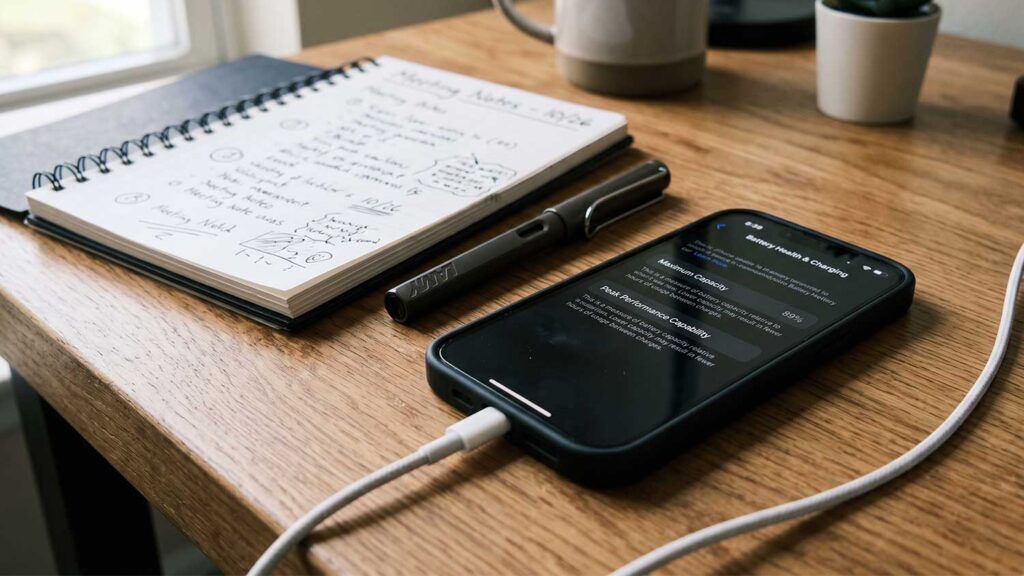
Apple provides a metric called Battery Health, which can be consulted in the iPhone settings. When this rate drops below 80%, performance already begins to be visibly affected — and the battery can run out much earlier than expected.
Apps consuming power in the background
Even when you’re not using an app directly, it can continue to be active behind the scenes. Social networking, streaming and location apps are the big villains in this regard.
This behaviour, known as background refresh, consumes power quietly and constantly, directly contributing to the battery dying sooner than it should.
High-brightness display and always-on features
Screen brightness is one of the biggest power hogs on the iPhone. When kept at maximum level for long periods, it alone is already capable of significantly compromising battery life.
In addition, features such as active GPS, Bluetooth, Wi-Fi in places without signal and excessive notifications also weigh heavily on the device’s energy consumption throughout the day.
Outdated or flawed operating system
Old versions of iOS may contain bugs that directly affect the device’s power management. These software errors cause the system to consume more battery than necessary, even in simple tasks.
Consequently, keeping the system always up to date is a best practice — but on its own, it does not always solve the problem when the cause is deeper.
Internal hardware issues
In some cases, the iPhone downloads too fast for reasons that go beyond the software. Faulty internal components, board failures, or problems related to the power circuit itself may be at the root of the problem.
In these scenarios, only a specialised technical assessment is able to accurately identify what is happening — and indicate the correct solution.
When the iPhone drains too fast, it’s time to get an expert
Once you understand the causes, one thing is clear: most battery problems on iPhone require professional care. Attempting any type of intervention on your own can cause serious damage to the device — including the battery itself, which is at risk of swelling or leaking when handled improperly.
In addition, repairs made without the proper technical support can compromise sensitive internal components, such as the motherboard, and even void any warranty that the device still has.
Therefore, when you identify signs that your iPhone battery is having problems, the best thing to do is to take the device to a Apple technical assistance with trained and experienced professionals. A well-done diagnosis is the starting point for any safe and effective repair.
Dr. Cell is a reference in Jundiaí and the region for exactly this type of situation. With specialised iPhone service, the team is prepared to identify the real cause of the problem — whether software or hardware — and offer the most appropriate solution for your case.