Smartphone Has No Sound? How to Fix Audio Problems

The frustration is immense when your smartphone has no sound. Whether you’re trying to listen to an important call, a funny video, or your favorite music, a phone with audio problems can be incredibly annoying. Sometimes the sound is muffled, distorted, or the phone’s speaker doesn’t work at all.
Yes, at mobilefixpro.co.za, we understand the importance of having clear and functional audio on your device. In this guide, we’ll explore the most common causes of no sound or audio problems on your smartphone and what you can do to try and resolve these issues at home. If basic solutions don’t work.
1. Basic Checks: Where to Start When Your Smartphone Has No Sound
Before assuming the worst, it’s essential to rule out the simplest causes of mobile phone audio problems:
- Volume Level: Check that your phone’s volume is not at minimum or muted. Use the side volume buttons and confirm the levels in the audio settings. Remember that there are different volume levels for multimedia, calls, and alarms.
- “Do Not Disturb” / Silent Mode: Make sure your phone is not in “Do Not Disturb” or silent mode (for example, via the physical silent button on iPhones or Android settings).
- Bluetooth Connected: Check that your phone is not accidentally connected to an external Bluetooth device (headphones, speakers, car system). Turn off Bluetooth and test the audio again.
- Dirt in the Speaker Grills: Dust, lint, or dirt can accumulate in the speaker grills, muffling or completely blocking the sound. Use a soft, dry toothbrush or compressed air (very carefully) to clean the holes.
- Test with Headphones: Connect a pair of headphones. If you hear sound through them, the problem is probably with the phone’s external speaker. If you don’t hear sound even through headphones, the problem is more complex, possibly in the software or the audio chip.
2. Software Problems: A Hidden Cause for the Absence of Audio
Sometimes, the absence of sound is not a hardware problem, but a software problem.
- Temporary Bugs: A frozen application or a minor bug in the operating system may cause audio glitches. A simple restart of the phone may resolve this.
- System Updates: While updates generally improve performance, they can occasionally introduce bugs that affect audio. If the problem started after an update, check for patches or new updates. If the problem persists after restarting, a more thorough software repair may be necessary or, in rare cases, a factory reset.
3. Hardware Problems: When the Mobile Phone Speaker Doesn’t Work
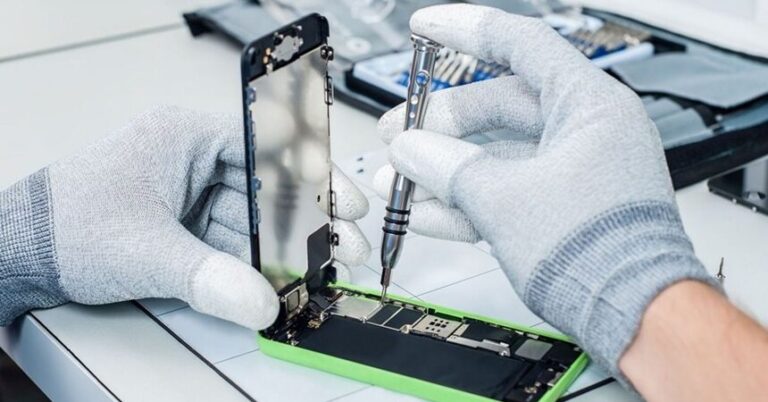
If basic checks and software solutions don’t resolve the issue, your smartphone’s lack of sound or distorted audio is likely experiencing a hardware problem.
- Faulty Speaker: The speaker itself may have malfunctioned due to a fall, wear and tear, or a power surge. If your mobile phone speaker is not working, it may need replacing.
- Liquid Damage: Exposure to liquids is a common cause of mobile phone audio problems. Water can corrode internal circuits, affecting speakers, microphones, or the audio chip. In these cases, liquid damage repair is crucial.
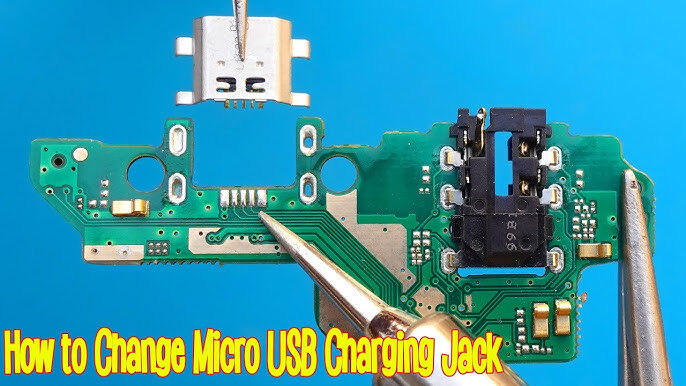
- Defective Audio Module (Audio IC): In more serious cases, the problem may lie in the audio integrated circuit (IC) on the mobile phone’s logic board. This is a complex repair requiring specialized technicians and microsoldering equipment.
4. Professional Audio Repair
If your smartphone has no sound or audio problems after basic checks.
- Microphone repair, if people can’t hear you.
- Headphone (earphone) repair if you can’t hear calls.
- Replacing external speakers if the mobile phone speaker is not working for multimedia or ringtones.
Conclusion: Restore your device’s audio
Don’t let the lack of sound stop you from using your smartphone to its full potential. If your smartphone has no sound and basic checks haven’t solved the problem, professional help is the best solution.