Mobile Phone USB Drivers: Complete Installation Guide
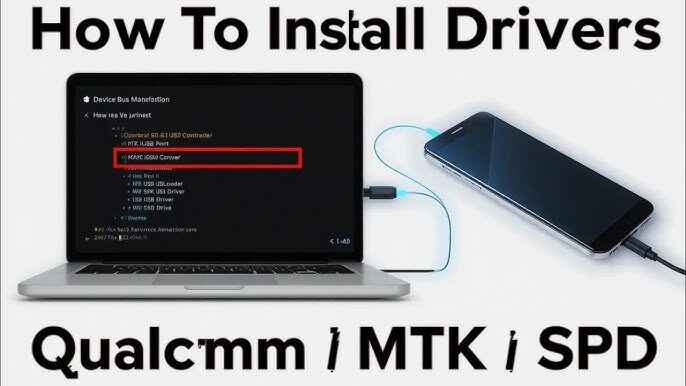
Connecting an Android device to a computer is commonly used by users for various reasons. These range from simple tasks like transferring files or charging devices to more advanced uses such as rooting or installing a custom ROM.
However, to perform any of these actions, you need to have the Android drivers installed on your PC.
WhatsApp: How to search messages by date
How to transfer a playlist from Spotify to Apple Music
How to find saved Wi-Fi passwords on Android
First- of- all, -why— do we- need- Android -USB –drivers? Basically, the USB interface of Android devices can operate in different modes, including the standard USB debugging mode, the Fastboot interface, and specific interfaces for diagnostics.
For the computer to function correctly with this variety of interfaces, it is necessary to install additional software: the driver .
Fortunately, most Android manufacturers provide the ideal drivers for their devices. In addition to ADB and Fastboot interfaces, these drivers also support special firmware update modes and protocols. For example, if you own a Samsung Galaxy, you need the Samsung USB driver .
Download the Android USB drivers for your brand.
Find the appropriate driver in the list below:
Remember that Windows has provided a generic ADB driver for Android for some time and searches for missing drivers through Windows Update. However, for more complex scenarios, official manufacturer drivers are still often the best option.
Fortunately, most Android manufacturers provide the ideal drivers for their devices. In addition to ADB and Fastboot interfaces, these drivers also support special firmware update modes and protocols. For example, if you own a Samsung Galaxy, you need the Samsung USB driver .
Download the Android USB drivers for your brand.
Find the appropriate driver in the list below:
| OEM | Android USB Driver |
|---|---|
| Alcatel | Download |
| Amazon | Download |
| Asus | Download |
| Dell | Download |
| Fujitsu | Download |
| Download | |
| Honor | Download |
| Huawei | Download |
| Kyocera | Download |
| Lenovo | Download for Smartphones | Download for tablet |
| LG | Download |
| Motorola | Download |
| Nokia | Download |
| Nvidia | Download |
| OnePlus | When you connect a OnePlus phone to your PC, you will see a virtual CD-ROM drive containing the driver installer. |
| Oppo | Download |
| Razer | Download |
| Realme | Download |
| Samsung | Download |
| Sony | Download |
| Toshiba | Download |
| Vivo/iQOO | Download |
| Xiaomi | Download |
| ZTE/Nubia/RedMagic | Download |
Remember that Windows has provided a generic ADB driver for Android for some time and searches for missing drivers through Windows Update. However, for more complex scenarios, official manufacturer drivers are still often the best option.


