Charging Properly – Smartphones have become the heartbeat of modern life. We use them to communicate, work, bank, navigate, watch videos, and even control smart devices in our homes. So when your phone suddenly refuses to charge properly, it feels like your entire day grinds to a halt. One minute your battery is at 5%, and the next you are desperately twisting charging cables like a magician trying to pull a rabbit out of a hat. Sound familiar? You are definitely not alone.
Recent reports show that charging-related smartphone issues remain one of the most common repair problems worldwide, especially with the widespread adoption of USB-C fast charging and wireless charging technology. Experts also point out that heat, damaged cables, dust-filled charging ports, and low-quality chargers are among the biggest culprits behind charging failures.
Before rushing to buy a new phone or spending money at a repair shop, there is good news: many charging problems can actually be fixed at home with a few smart troubleshooting steps. Sometimes the solution is as simple as cleaning lint out of the charging port. Other times, the issue could involve battery health, software glitches, or damaged hardware components.
This guide will walk you through everything you need to know about fixing a phone that is not charging properly. Whether your device charges slowly, stops charging randomly, only charges at a certain angle, or refuses to charge completely, you will learn practical solutions that actually work.
Understanding Why Phones Stop Charging
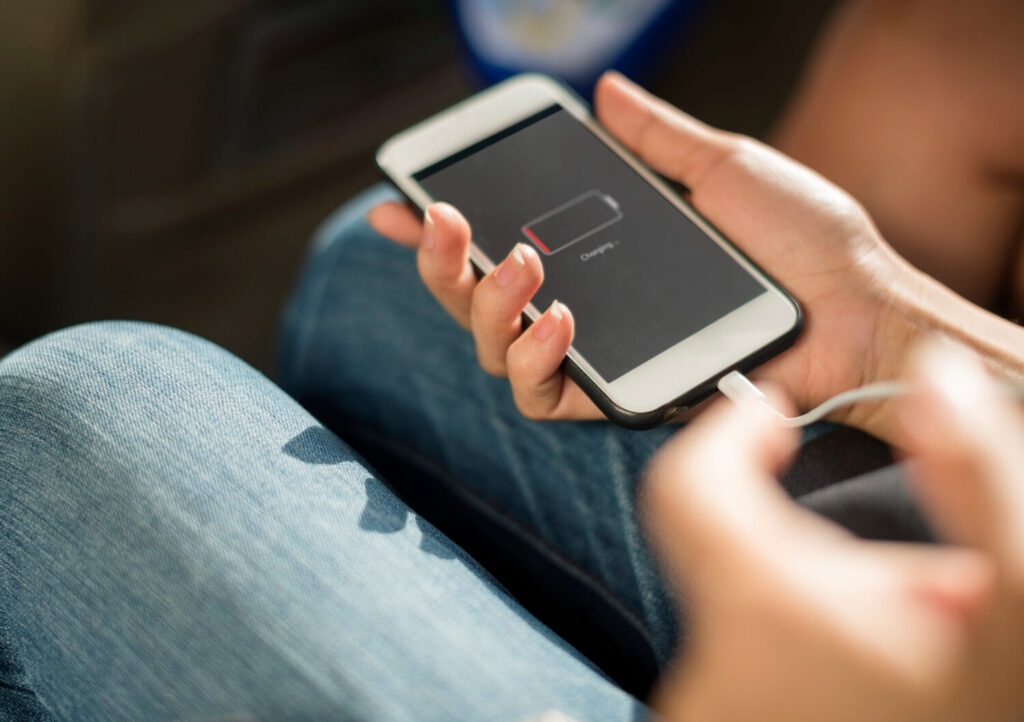
A phone that refuses to charge is like a car that suddenly refuses to start. The problem may look dramatic on the surface, but the root cause is often surprisingly small. Most charging problems fall into four major categories: faulty accessories, dirty charging ports, software glitches, or hardware damage. Understanding these causes is the first step toward solving the issue quickly and safely.
One of the biggest mistakes people make is assuming the battery itself is dead. In reality, many charging failures happen because the phone simply cannot receive power properly. Imagine trying to drink water through a straw clogged with mud. Even if the glass is full, nothing reaches your mouth. Charging ports work the same way. Dust, lint, and debris can block the electrical connection completely.
Modern smartphones are also more sensitive than older models. Fast charging technology, USB-C power delivery systems, and wireless charging require proper voltage management. According to recent charging technology reports, low-quality or non-compliant USB-C cables can even damage devices or prevent charging altogether. Cheap chargers may save money upfront, but they often create long-term problems.
Heat is another silent enemy. Studies and recent battery research show that excessive heat accelerates lithium-ion battery degradation. Wireless charging systems, in particular, generate more heat due to energy conversion losses. If your phone feels hot while charging, your battery health could be declining faster than expected.
Understanding these warning signs early can help you avoid permanent damage and expensive repairs later.
Inspect the Charging Cable First
Let’s start with the simplest suspect: the charging cable. It might look harmless lying on your desk, but charging cables endure incredible stress every single day. They get bent, twisted, stuffed into bags, yanked from walls, and stepped on. Over time, even premium cables wear out internally.
A damaged cable often causes inconsistent charging. Maybe your phone only charges when the cable is bent a certain way. Maybe charging stops randomly every few seconds. These are classic signs of internal wire damage. The outer layer may still look perfect while the tiny copper wires inside are already broken.
USB-C and Lightning cables are especially sensitive because modern fast charging systems rely on precise communication between the phone and charger. Reports on USB-C technology show that poorly manufactured cables can deliver incorrect voltage or fail to maintain stable charging speeds. That is why using random cheap cables from unknown brands can be risky.
Here is a quick comparison table:
| Cable Problem | Symptoms | Solution |
|---|---|---|
| Frayed cable | Intermittent charging | Replace cable |
| Loose connector | Cable falls out easily | Use certified cable |
| Cheap cable | Slow charging | Buy original charger |
| Bent connector | Charging only at angles | Replace immediately |
A good test is simple. Try another charging cable that you know works properly. If the phone suddenly charges normally, congratulations — you just solved the mystery without spending money on repairs.
Certified cables from trusted brands are always the safest option. They provide stable power delivery and reduce the risk of overheating or electrical damage. Think of them like quality fuel for a car engine. Cheap fuel might work temporarily, but it slowly damages the system over time.
Check the Charging Adapter
People often blame the cable while ignoring the charging adapter plugged into the wall. Yet the adapter is equally important because it controls voltage and current delivery to your phone. A failing adapter can create slow charging, overheating, or complete charging failure.
Fast charging adapters are particularly complex. Modern smartphones negotiate charging speeds using smart protocols such as USB Power Delivery or proprietary fast charging systems. If the adapter cannot communicate correctly with the device, charging performance drops dramatically. Some phones even disable fast charging automatically to protect the battery.
You may notice warning signs like:
- The charger becoming extremely hot
- Buzzing noises from the adapter
- Very slow charging speeds
- Charging interruptions
- The phone displaying “charging slowly”
These symptoms usually indicate an unstable power supply. It is similar to trying to fill a swimming pool using a weak garden hose. The power flow becomes inconsistent, and the phone struggles to maintain charging stability.
Experts also warn against counterfeit chargers. Cheap adapters often lack proper temperature protection and voltage regulation. This can damage batteries over time and even create safety risks.
The safest approach is to test another original charger from the same manufacturer whenever possible. Samsung phones generally perform best with Samsung-certified chargers, while iPhones charge most reliably with Apple-certified accessories.
If your phone starts charging properly with another adapter, the old charger should be replaced immediately. Do not keep using faulty adapters hoping they will magically recover. Electronics rarely heal themselves.
Clean the Charging Port Properly
Now let’s talk about one of the most overlooked causes of charging problems: dirt inside the charging port.
You would be shocked by how much dust and lint can accumulate inside a phone port over time. Every time you slide your phone into your pocket, tiny fibers sneak inside the charging port like microscopic invaders. Eventually, the debris becomes compacted so tightly that the charging cable can no longer connect properly.
This issue is incredibly common in USB-C phones because the port design allows lint to collect deep inside. The result? Loose charging connections, random disconnects, or total charging failure.
The good news is that cleaning the port safely is surprisingly easy.
Here is the safest cleaning process:
- Turn off the phone completely
- Use a flashlight to inspect the port
- Gently remove debris with a wooden toothpick or plastic tool
- Avoid metal objects completely
- Use compressed air carefully if available
Never jam needles, pins, or knives into the charging port. That is like trying to clean your eye using a screwdriver. You can easily damage delicate internal pins.
After cleaning, plug the cable back in carefully. Many users are amazed to discover their “broken” phone suddenly charges perfectly again. Sometimes a five-minute cleaning job solves what looked like a major hardware problem.
Professional repair technicians often say that dirty charging ports are among the easiest and most common fixes they perform daily.
Restart Your Phone Before Panicking
Technology sometimes behaves like a tired human brain. It glitches, freezes, and gets confused. That is why restarting your phone can surprisingly fix charging problems.
Software controls charging behavior more than most people realize. The operating system monitors battery temperature, charging speed, voltage, and power management. If a software bug interferes with these systems, charging may stop completely even when the hardware is fine.
You may notice situations like:
- The charging icon appears but battery percentage does not increase
- Fast charging suddenly disappears
- Charging starts and stops repeatedly
- The phone refuses to recognize the charger
A simple restart refreshes background processes and resets temporary software errors. Think of it like rebooting your brain after a bad night of sleep.
If restarting does not help, check for software updates. Manufacturers regularly release updates that improve battery optimization and charging performance. Older firmware can sometimes create compatibility problems with newer chargers and accessories.
Safe Mode can also help identify whether third-party apps are causing the problem. Some poorly designed apps drain battery aggressively or interfere with charging systems in the background.
Before assuming your battery is dead, always try software troubleshooting first. It can save hours of frustration.
Examine Battery Health
Batteries are not immortal. Every smartphone battery slowly degrades over time, just like car tires gradually wear down with use. After hundreds of charging cycles, lithium-ion batteries lose capacity and charging efficiency.
One major warning sign is rapid battery drain. If your phone charges to 100% but dies unusually fast, the battery health may be declining. Another red flag is overheating during charging.
Battery experts consistently warn that heat is one of the biggest enemies of lithium-ion batteries. Research shows that higher charging temperatures significantly accelerate battery degradation.
You can check battery health directly on many phones:
- iPhone: Settings → Battery → Battery Health
- Samsung: Samsung Members app diagnostics
- Android: Third-party battery health apps
If battery capacity falls below 80%, performance issues become much more noticeable.
Recent battery studies also support the “20% to 80% charging rule.” Keeping lithium-ion batteries within this range reduces voltage stress and extends long-term lifespan.
Many people unknowingly damage their batteries by:
- Leaving phones charging overnight constantly
- Using phones heavily while charging
- Exposing phones to heat
- Using poor-quality chargers
A swollen battery is especially dangerous. If the back of your phone starts bulging or separating, stop using the device immediately and seek professional repair help.
Wireless Charging Troubleshooting
Wireless charging feels futuristic and convenient, but it also introduces unique problems. Unlike wired charging, wireless systems rely on electromagnetic coils transferring energy through the air. That process creates more heat and lower efficiency.
If your wireless charger is not working properly, alignment is usually the first issue to check. The phone must sit correctly on the charging pad for energy transfer to occur efficiently. Even slight misalignment can interrupt charging.
Phone cases can also create problems. Thick cases increase the distance between charging coils, reducing efficiency and increasing heat generation. Removing the case often improves charging immediately.
Common wireless charging issues include:
| Problem | Cause | Fix |
|---|---|---|
| Slow wireless charging | Poor alignment | Reposition phone |
| Overheating | Thick phone case | Remove case |
| Charging stops randomly | Excess heat | Cool device |
| No charging detected | Incompatible charger | Use Qi-certified charger |
Wireless charging is convenient, but wired charging remains more efficient overall. Reports suggest wireless charging transfers only around 60–70% of energy effectively compared to wired charging systems.
If wireless charging suddenly stops working completely, restart the phone and test another wireless charger before assuming hardware failure.
Charging Problems After Water Damage
Water and electronics mix about as well as fire and gasoline. Even water-resistant phones can develop charging issues after moisture exposure.
Modern smartphones often display moisture detection warnings when liquid is detected inside the charging port. This safety feature prevents electrical short circuits while charging.
If your phone says “Moisture Detected”:
- Disconnect the charger immediately
- Power off the phone
- Let the device dry naturally
- Avoid using hair dryers or heat guns
Many people panic and attempt dangerous drying methods. Rice, for example, is mostly a myth. It does not magically extract water from electronics.
The safest method is patience. Allow airflow and time to evaporate moisture naturally. In severe cases, professional cleaning may be necessary because corrosion can begin forming internally.
Charging a wet phone is extremely risky. Electrical current combined with moisture can permanently damage internal components.
When Fast Charging Stops Working
Fast charging technology has transformed modern smartphones, but it also creates new troubleshooting challenges.
Many users notice their phones suddenly charging slowly despite using the same charger as before. This often happens because fast charging systems automatically reduce speed under certain conditions.
Common reasons include:
- Excessive heat
- Battery aging
- Damaged USB-C cables
- Software limitations
- Unsupported chargers
Modern phones constantly monitor temperature during charging. If the device becomes too hot, charging speed decreases automatically to protect battery health.
USB-C Power Delivery systems are also very sensitive to cable quality. Reports show that faulty or non-compliant USB-C cables can cause charging instability or incorrect voltage communication.
Fast charging can disappear temporarily if:
- The battery exceeds safe temperature limits
- The charger lacks proper certification
- The phone detects unstable voltage
Restarting the phone and testing a certified fast charger often restores proper charging speed.
When to Repair or Replace Your Phone
Sometimes troubleshooting reaches a dead end. If you have tested multiple cables, chargers, cleaned the port, restarted the device, and checked battery health without success, professional repair may be necessary.
Here are serious warning signs that require expert attention:
- Charging port physically loose
- Burn marks near charging port
- Phone overheating severely
- Battery swelling
- Phone only charges intermittently
- No response from multiple chargers
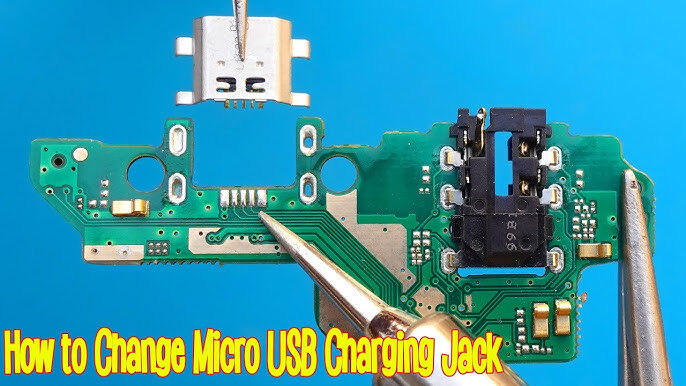
Charging ports themselves eventually wear out. Repeated plugging and unplugging gradually weakens internal connectors. Repair technicians frequently replace damaged USB-C and Lightning ports because they experience constant physical stress.
The good news is that charging port repairs are often much cheaper than buying a new phone. Battery replacements can also dramatically extend device lifespan.
However, if the motherboard is damaged from water exposure or electrical failure, repair costs may exceed the value of the device. In those cases, replacement becomes the smarter financial decision.
Think of your phone like a car. Replacing tires and batteries is normal maintenance. But once the engine fails completely, replacement becomes more practical.
Conclusion
A phone that refuses to charge properly can feel incredibly frustrating, especially when your daily life depends on staying connected. The encouraging reality is that many charging problems are surprisingly easy to fix once you identify the real cause.
Most charging issues come down to a few common problems: damaged cables, faulty adapters, dirty charging ports, software glitches, battery degradation, or overheating. By methodically testing each possibility, you can often solve the issue without spending money on expensive repairs.
The simplest fixes are frequently the most effective. Cleaning lint from the charging port, replacing a worn cable, restarting the phone, or switching chargers can instantly restore normal charging behavior. At the same time, taking better care of your battery — avoiding excessive heat, using certified chargers, and following healthy charging habits — can significantly extend your phone’s lifespan.
Smartphones may be powerful pieces of technology, but they are still vulnerable to wear and tear. Treat your charging accessories carefully, keep ports clean, and avoid low-quality chargers whenever possible. Your phone battery will thank you for it.
FAQs
1. Why does my phone charge slowly even with a fast charger?
Slow charging can happen بسبب damaged cables, overheating, battery aging, or incompatible charging adapters. Fast charging systems automatically reduce speed if the phone becomes too hot.
2. Can a dirty charging port stop a phone from charging?
Yes. Pocket lint and dust can block the connection between the charging cable and the internal charging pins. Cleaning the port carefully often fixes the problem instantly.
3. Is wireless charging bad for battery health?
Wireless charging itself is not directly harmful, but it generates more heat than wired charging. Excess heat can accelerate battery wear over time.
4. How do I know if my battery needs replacement?
Signs include rapid battery drain, overheating, random shutdowns, swelling, or battery health below 80%.
5. Should I keep charging my phone overnight?
Modern phones include protection systems, but keeping batteries at 100% constantly may increase long-term wear. Experts recommend maintaining battery levels between 20% and 80% when possible.