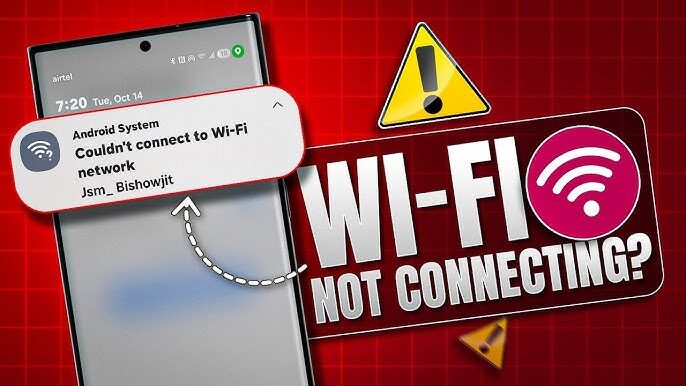
Cell Phone Crashing A Lot How To Solve It!
The famous question, mobile crashing a lot how to solve? It is one of the most popular in all the attendances in Brazil and the world.
And that’s why today I’m going to talk exactly about the mobile crashing a lot, how to solve it and what are the main causes that lead to this defect.
So if you work with mobile repair or even just have your mobile crashing a lot and want to know how to solve it, pay close attention to everything I’m going to talk about.
Cell Phone Crashing Too Much Can Stop for Good?
I know you want to know about how to solve this problem, but first let’s talk about whether a mobile crashing a lot can stop for good.
And the answer is yes, a mobile crashing a lot can stop for good at any time or even it can stop and come back.
And this happens because when the mobile starts to freeze a lot, it is because the system is having difficulty processing the information.
However, in many cases, it gets to the point where the system simply can’t process any information any more.
And at that moment the mobile can stop for good or freeze and no longer work.
Therefore, if you have a mobile crashing a lot, it is extremely important that you do not postpone the solution or it can be expensive.
That said, let’s start talking about the main reasons that lead a mobile to crash a lot and even malfunction.
1- Memory
The first most common defect that causes crashes is full memory.
In many cases, a mobile with a full memory can start to crash and other types of failures.
So if you have your mobile crashing a lot and it has storage above 80% occupied, it is likely that this failure is caused by full memory.
In this case, there are 2 ways to solve this problem.
1- Delete Files.
The first way is to delete some unnecessary files that are taking up the mobile’s memory.
Files such as photos, videos, music and messages are what fill the memory the most.
So if you have a lot of photos and video, try to delete everything that is not important.
2- Do a formatting.
The second and fastest way would be to do a formatting.
A format is nothing more than restoring the mobile to the original configuration.
In this case, you should go to settings, choose the security and backup option, and then click on backup and reset and finally click on restore factory data.
But Warning This restoration will delete all the files from the phone counting the photos, videos, emails, contacts and messages.
So before doing a formatting, save all the files that are important to you.
Generally speaking, to solve the problem, all you have to do is free up space on the device.
A good tip is to always keep your phone’s memory below 60%.
That way you will have the mobile crashing a lot due to defects like this.
2- Apps & Games
A lot of people don’t know but games and heavy applications are one of the main causes why the mobile starts to crash a lot.
And just like a memory defect, sooner or later your mobile can also stop for good.
But calm down, I’m not telling you not to download games or apps on your phone.
What I mean is that it is extremely important that you respect the limit of the device.
Nowadays we have many applications and games that demand a lot from the mobile.
However, not all cell phones can meet these requirements.
Therefore, to be able to process a game or application, the mobile starts to work more than recommended and so the processor begins to fail.
In that case it’s a little easier to figure out if that’s the case.
First, try to observe if the device started to crash after installing a game or application.
If this is the case, try uninstalling and after that check if the mobile stops crashing.
If it has stopped, it means that the mobile system does not support this application.
3- Viruses
Now we come to the last case but it is also very common and the famous virus happens a lot.
Viruses are applications or programs that cause the mobile system to malfunction.
Viruses usually come along with applications or programs that are downloaded outside the mobile app store.
For example, in many cases you download a game but it is only available in the google browser and you cannot find it in the play store.
So you end up downloading it through the browser.
The only problem is that in many cases along with this game also comes other files that are known as viruses.
And unlike defect number 2, in this case it’s no use just deleting the game or apps.
And I say this because even excluding the virus will remain on the mobile.
In this case, to solve the problem, it will be necessary to format and delete all data from the device.
And if necessary, you can still save your photos and videos from your mobile before formatting.
However, there are cases in which just a simple formatting does not solve the problem and therefore it will be necessary to make the device software.
What is the Software and How to Do It.
I know you’ll probably want to know what this software is and how to do it the right way and that’s what I’m going to explain now.
Cell phone software is nothing more than the mobile system.
Without the system your mobile does not work and when this system starts to fail we have the mobile crashing a lot or in many cases the mobile does not turn on.
Therefore, the quickest solution to this problem is to remove the faulty software and put new software on the phone.
However, this procedure is a little more complex and needs to be done correctly.
In many cases, a mistake when making the software can cause irreversible defects and therefore it will not be possible to recover the mobile.
Well, now you know what are the most common causes and solutions for a mobile crashing a lot and I really hope this article has helped you.
Now I’ll see you in the next one and until then.