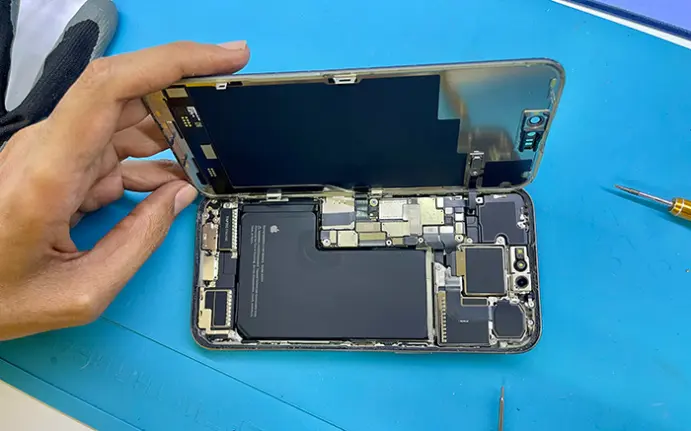
The iPhone battery is one of the components that allows you to take advantage of all its features every day, for hours on end. However, being rechargeable, it is a consumable item, so it has a limited lifespan.
In this article, you’ll understand when you should replace your mobile phone battery , debunk some myths about this topic, and discover the correct way to charge it. In addition, we’ll give you some tips to maximize the lifespan of your iPhone battery .
When is the right time to replace an iPhone battery?
Rechargeable batteries, over time and due to their finite lifespan, gradually decrease in capacity and effectiveness, affecting the performance of the mobile phone.
When your battery fails, you don’t need to replace your entire phone .
He understands the reasons that justify his replacement.
1. Reduced maximum battery capacity
Over time, the charge that this component can retain decreases, causing the battery life – the time you can spend using your phone before needing to recharge it – to be less than when you bought it.
You can check your iPhone’s battery health in Settings and review the maximum capacity and any service recommendations shown by the device. A lower capacity indicates battery wear, but the percentage alone does not mean that replacement is automatically required; symptoms and the phone’s battery-health message should also be considered.
2. Increased loading time
Your smartphone may start taking longer to charge than usual, or may even stop charging altogether. Before assuming it’s a battery problem, try changing the charger cable , as it may be damaged. If the delay persists, then you may be facing battery-related issues.
Another indicator of battery problems is the fact that it discharges quickly after charging .
3. The iPhone shuts down unexpectedly.
When an iPhone battery is damaged, it is unable to supply power to the device, which then shuts down. This can happen even when the battery symbol indicates that it is full.
4. Overheating
When using your mobile phone for activities that demand more from its performance, it’s normal for it to get a little warmer. However, overheating is not common during charging or normal use.
5. Slower device and lower performance.
As your battery ages, it’s natural to feel that your iPhone is slower, especially when opening apps. According to Apple itself, it’s expected that apps will take longer to start when your iPhone battery has an advanced chemical age.
Furthermore, a dimming of the backlight and a reduction in speaker volume of up to -3 dB may be noticed. In extreme situations, the flash may stop working, call and photo quality may decrease, as well as the accuracy of GPS location .
Suggested reading: 7 Tips to Clean Your Phone and Improve Performance
Strategies for preserving iPhone battery life
There are several factors that impact battery life, such as your phone usage habits, extreme temperatures (hot and cold), and regular charging.
Here are some tips you can put into practice to conserve your smartphone’s battery:
- How and when to charge your mobile phone: It is advisable to make short, regular charges, never letting the battery reach 0%, and avoid leaving it charging for a long time (for example, overnight) after reaching 100%. This practice does not damage the battery, but it can accelerate its degradation;
- Choose a suitable charger: It is essential to check that the charger you are using meets safety standards;
- Avoid heavy use of your iPhone while charging : It’s possible to use your smartphone while charging, but try not to use applications that require a lot of effort from the device and cause it to overheat;
- Save battery with simple actions : Activate power saving mode, adjust screen brightness, disable location services, limit the use of apps that consume the most battery, and use Wi-Fi more often instead of mobile data.
- Regularly update your software to the latest iOS version . You can go to Settings > General > Software Update to see if any updates are available.


Join the Conversation
Have a question or insight to share? Add your thoughts below.