Phone Charging Slowly feels like a broken promise. You plug it in expecting a quick boost, but hours later the battery barely moves. It’s frustrating, especially when you rely on your device for work, communication, and entertainment. The truth is, slow charging is not always caused by a dying battery. Sometimes it’s the cable, sometimes the port, and sometimes deeper hardware issues hiding inside the phone.
Modern smartphones use complex power systems that balance heat, battery health, and charging speed. According to repair experts, issues like dirty ports, weak adapters, and degraded batteries are among the most common reasons for slow charging . In this guide, we break everything down step by step so you can diagnose the real problem and fix it without guessing.
Understanding Why Phone Charging Slowly
Before jumping into repairs, it’s important to understand what is actually happening inside your phone when it charges. Many users assume charging is just electricity going straight into the battery, but it’s more like a controlled pipeline.
Power Flow Basics in Smartphones
When you plug in your charger, power travels through the cable into the charging port, then through a power management chip on the motherboard, and finally into the battery. Each of these stages can become a bottleneck. If even one part is weak or damaged, the entire charging speed drops. Think of it like water flowing through a pipe—if there’s a blockage anywhere, everything slows down.
How to Repair No Display Problems on Mobile Phones (2026 Guide)
Modern phones also regulate charging speed to protect battery health. If the device detects heat or instability, it automatically reduces power intake. This is why sometimes your phone charges faster when turned off.
Difference Between Fast Charging and Standard Charging
Fast charging uses higher wattage (typically 18W to 100W depending on the device), while standard charging may only deliver 5W to 10W. If your phone is not receiving proper fast-charging power, it will default to slower speeds. A mismatched charger or cable can instantly downgrade your charging speed without any visible warning.
Common External Causes of Slow Charging
Most slow charging problems are not caused by internal damage. They come from simple external issues that are easy to fix.
Weak Power Source Issues
One of the biggest mistakes users make is plugging their phone into weak power sources like laptop USB ports or old wall adapters. These sources often don’t provide enough wattage for modern smartphones.
Laptop USB vs Wall Adapter
A laptop USB port may only deliver 2.5W to 4.5W of power, while a proper fast charger delivers 18W or more. That difference alone can make your phone charge four to six times slower. If you want real charging speed, always use a wall socket with a certified adapter.
Faulty Charging Cable Problems
Cables wear out over time, especially cheap ones. Internal wires can break without visible damage. When that happens, the cable still works—but it cannot deliver full power.
A damaged cable can cause:
- Slow charging
- Intermittent charging
- Overheating during charging
Replacing the cable is often the fastest way to solve the issue before opening the phone.
Internal Hardware Issues That Affect Charging Speed
If external fixes don’t work, the issue may be inside the phone itself.
Charging Port Damage or Wear
The charging port is one of the most abused components on any phone. Dust, lint, and repeated plugging and unplugging slowly damage the internal pins. Even a small amount of debris can block proper electrical contact.
Repair data shows that dirty or damaged ports are one of the top reasons for slow charging issues . If the cable feels loose when plugged in, or if charging only works at certain angles, the port is likely damaged.
Battery Degradation Over Time
All lithium-ion batteries degrade naturally. After 2–3 years of use, battery efficiency drops significantly. A degraded battery not only holds less charge but can also charge more slowly.
Aging batteries also generate more heat, which forces the phone to slow down charging as a safety measure. In many cases, replacing the battery restores normal charging speed instantly.
Software vs Hardware Confusion
Not all charging problems are physical. Some are caused by software behavior that mimics hardware failure.
Background Apps Draining Power
If your phone is running heavy apps in the background, it is consuming power while charging. This creates a conflict where the phone is both charging and discharging at the same time.
This is why gaming, streaming, or social media apps can make charging feel extremely slow.
System Bugs Affecting Charging Speed
Sometimes after a system update, charging performance may change. Bugs can increase CPU usage or break power optimization features. This leads to higher energy consumption even when the screen is off.
Restarting the phone or updating to a stable version often resolves this.
Step-by-Step Hardware Diagnosis
Now let’s get practical. Here’s how to check if your phone has a hardware issue.
Inspecting the Charging Port
Start by visually inspecting the port using a flashlight. Look for dust, lint, or corrosion. If you see debris, gently clean it using a soft brush.
Do not use metal objects, as they can damage internal pins. Even a small scratch can permanently reduce charging efficiency.
Testing Charger and Cable Output
Try charging with:
- A different cable
- A different adapter
- A different wall socket
If charging speed improves, your original accessories are the problem. If nothing changes, the issue is likely inside the phone.
Professional Repair Solutions
If basic troubleshooting fails, it’s time for hardware repair.
Charging Port Replacement
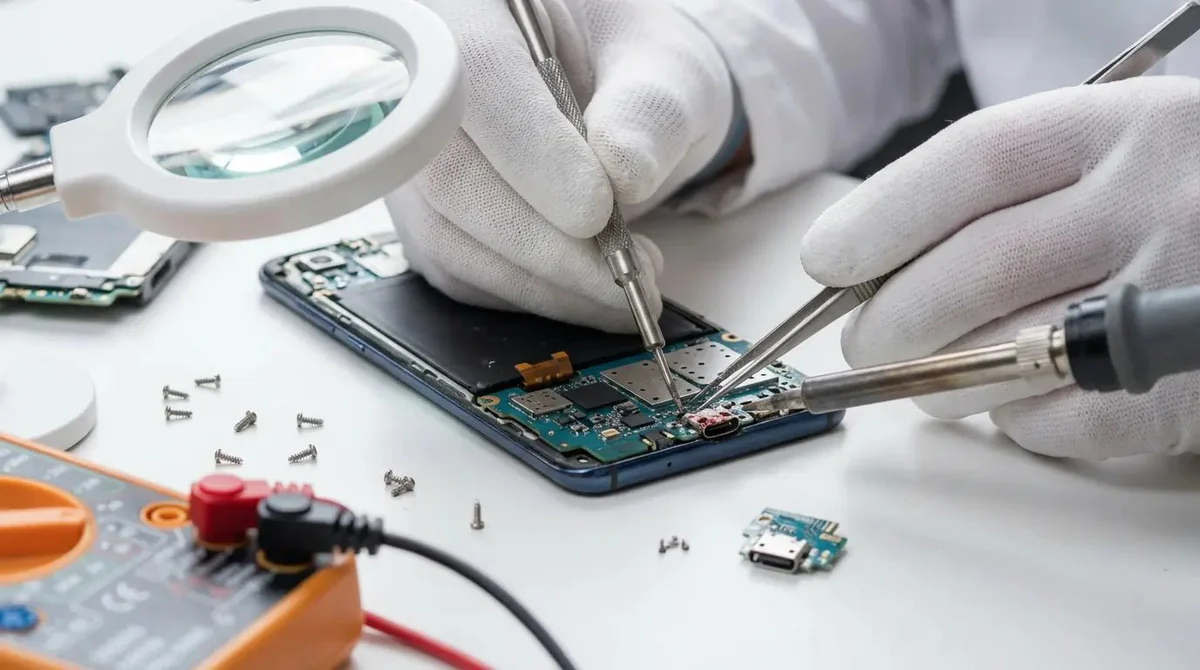
A damaged charging port often requires full replacement. This is a common repair and relatively affordable. Technicians will remove the old port module and install a new one.
Signs you need port replacement:
- Cable feels loose
- Charging only works at angles
- Phone not detecting fast charging
Battery Replacement Guide
Battery replacement is another common fix. If your battery health is low, replacing it restores both charging speed and battery life.
Technicians usually test battery voltage before replacement to confirm degradation.
Preventing Slow Charging in the Future
Once your phone is fixed, prevention becomes important.
Proper Charging Habits
Avoid:
- Using phone while charging
- Leaving battery at 0% frequently
- Overheating during charging
Good habits:
- Charge between 20%–80%
- Use original chargers
- Keep phone cool while charging
Recommended Accessories
Always use certified accessories that match your phone’s charging standards. Cheap cables might work temporarily but degrade quickly and reduce charging efficiency.
Advanced Repair Tips
For technicians or advanced users, deeper issues may exist.
Multimeter Testing
A multimeter can measure voltage output from the charger and cable. This helps identify hidden faults that are not visible externally.
Motherboard Power IC Issues
If everything else is fine, the problem may lie in the power IC (integrated circuit) on the motherboard. This chip controls energy distribution. If it fails, charging becomes slow or unstable and requires micro-soldering repair.
Conclusion
Slow charging is one of the most common smartphone problems, but it is rarely caused by a single issue. In most cases, the problem starts with external factors like cables, adapters, or dirty ports. When those are ruled out, internal issues such as battery aging or charging port damage become the main suspects.
The good news is that most fixes are simple and affordable. With the right diagnosis, you can avoid unnecessary repairs and restore full charging performance quickly. The key is to test step by step instead of guessing.
FAQs
1. Why is my phone charging very slowly suddenly?
This usually happens due to a faulty cable, dirty charging port, or background apps consuming power.
2. Can a bad battery cause slow charging?
Yes. A degraded battery reduces charging efficiency and may trigger thermal throttling.
3. How do I clean my charging port safely?
Use a soft brush or compressed air carefully. Avoid metal objects to prevent damage.
4. Does using my phone while charging slow it down?
Yes. Active usage increases power consumption, making charging slower.
5. When should I replace my charging port?
If the cable feels loose or charging only works at certain angles, replacement is recommended.