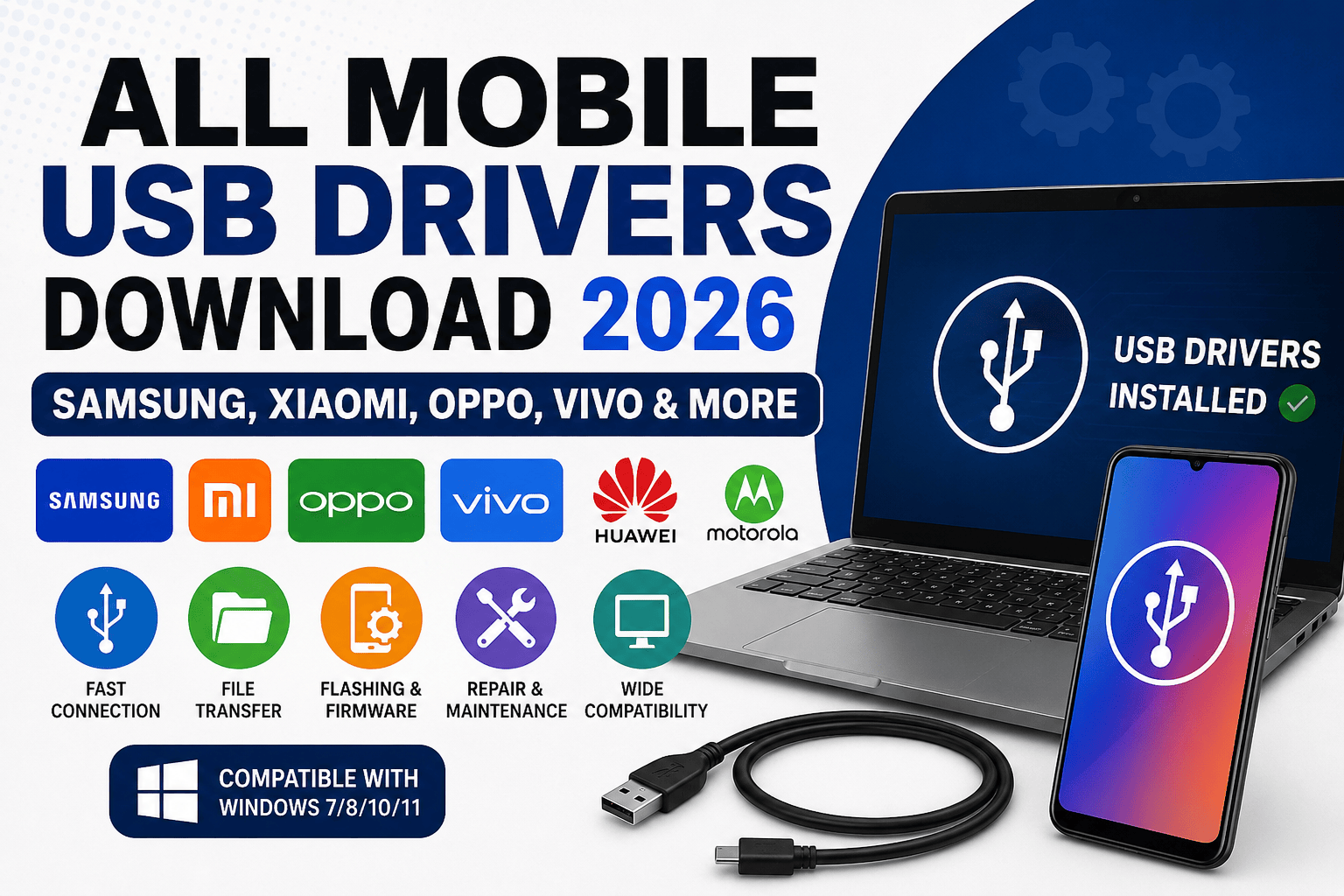
All Mobile USB Drivers – Modern Android smartphones rely heavily on USB communication. Whether you are transferring files, unlocking a bootloader, flashing firmware, removing FRP locks, rooting a device, or simply connecting your phone to a computer, the correct USB driver is absolutely essential. In 2026, mobile repair technicians, software technicians, and Android enthusiasts continue to depend on reliable USB drivers to communicate with smartphones through Windows-based computers. Without the correct driver installed, a phone may fail to appear in Device Manager, flashing tools may not detect the device, and important maintenance tasks become impossible.
USB drivers act as translators between your smartphone and computer. Think of them as interpreters helping two people who speak different languages communicate effectively. A powerful flashing tool is useless if the computer cannot properly identify the connected smartphone. This is why professional technicians always install the correct USB drivers before beginning any repair, firmware installation, or software maintenance process. Understanding how USB drivers work can save hours of troubleshooting and significantly improve success rates during mobile repair operations.
What Are Mobile USB Drivers?
Mobile USB drivers are software packages that allow a Windows computer to recognize and communicate with Android devices through a USB connection. When a smartphone is plugged into a computer, Windows attempts to identify the hardware and load the appropriate driver. If the driver is missing or corrupted, communication fails. This can lead to issues such as devices not being detected, failed flashing attempts, or inability to transfer files.
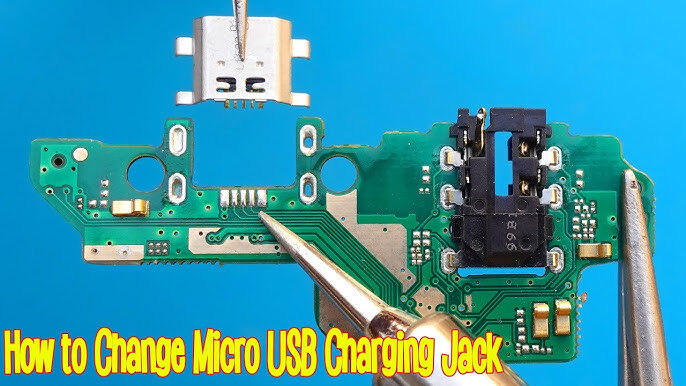
How to Repair a Battery Connector on an Android Phone (2026 Guide)
In the mobile repair industry, USB drivers play a critical role. Professional repair software such as Odin, Mi Flash Tool, SP Flash Tool, QFIL, and Fastboot utilities require proper driver installation before they can access the device. USB drivers enable multiple communication modes including MTP, ADB, Fastboot, Download Mode, EDL Mode, and Recovery Mode. Each mode serves a different purpose, from normal file transfers to advanced firmware flashing and device recovery.
Why USB Drivers Are Essential in 2026

The mobile repair landscape continues to evolve rapidly. Smartphones now feature stronger security protections, more advanced chipsets, and increasingly complex software ecosystems. USB drivers remain the foundation that allows technicians to interact with these devices. Without them, even the most advanced repair software becomes ineffective.
Device Recognition
One of the most important functions of USB drivers is device recognition. When a smartphone is connected to a Windows computer, the operating system uses the driver to identify the model, chipset, and communication protocols supported by the device. Proper recognition ensures stable communication and prevents errors during software operations.
Flashing and Repair Operations
Firmware flashing, FRP removal, IMEI repair, rooting, and software recovery procedures all depend on stable USB communication. A missing or outdated driver can interrupt the process and potentially leave the device in an unusable state. This is why technicians prioritize driver installation before performing any repair operation.
Samsung USB Drivers Download 2026
Samsung remains one of the largest smartphone manufacturers in the world, and its devices require dedicated USB drivers for proper communication with Windows PCs. Samsung’s official USB Driver for Windows was updated in May 2026 and remains the preferred solution for all Galaxy smartphones and tablets.
Samsung USB drivers are widely used by technicians working with Odin, Samsung Smart Switch, ADB tools, and firmware flashing procedures. These drivers provide stable communication across Download Mode, MTP mode, and ADB debugging environments.
Features of Samsung USB Drivers
Samsung USB drivers support high-speed file transfers, firmware flashing, software updates, and debugging functions. They are designed to work with Windows operating systems and integrate seamlessly with Samsung’s software ecosystem. Because Samsung devices use specialized communication protocols, installing the official driver significantly reduces detection problems.
Supported Samsung Devices
The latest Samsung USB drivers support Galaxy S series, Galaxy A series, Galaxy M series, Galaxy Z Fold devices, Galaxy Z Flip devices, Galaxy Note models, and Samsung tablets. Technicians working with modern Samsung devices should always use the latest driver version to ensure maximum compatibility.
Xiaomi USB Drivers Download 2026
Xiaomi, Redmi, and POCO devices continue to dominate many global markets. Xiaomi USB drivers are essential for flashing firmware, unlocking bootloaders, installing updates, and using Mi Flash Tool effectively. Current Xiaomi drivers include integrated ADB support and broad compatibility with HyperOS-based devices.
Xiaomi, Redmi and POCO Support
The latest Xiaomi drivers support virtually all Xiaomi, Redmi, and POCO devices. This unified approach simplifies driver installation because technicians can use a single package across multiple device families. Whether you are working on entry-level Redmi phones or flagship Xiaomi models, the same driver package typically provides the required communication support.
ADB and Fastboot Compatibility
ADB and Fastboot functionality remain essential for Xiaomi devices. These communication modes are used extensively for unlocking bootloaders, installing firmware, performing factory resets, and troubleshooting software issues. Xiaomi USB drivers include the necessary components to support these advanced functions.
Oppo USB Drivers Download 2026
OPPO devices require dedicated USB drivers for proper communication with Windows-based computers. These drivers support file transfers, software upgrades, flashing procedures, and device management operations. Modern OPPO smartphones use increasingly sophisticated software architectures, making reliable USB communication more important than ever.
File Transfer Functions
OPPO USB drivers enable seamless data transfer between smartphones and computers. Users can copy photos, videos, documents, and application backups without encountering device recognition problems. Stable file transfer capabilities are particularly important for technicians creating customer backups before repair operations.
Firmware Flashing Support
Firmware flashing remains one of the most common uses for OPPO USB drivers. Repair technicians rely on these drivers when recovering devices stuck in boot loops, resolving software corruption, or installing official firmware packages. Reliable driver performance significantly reduces flashing failures and communication errors.
Vivo USB Drivers Download 2026
Vivo smartphones continue to grow in popularity worldwide. Vivo USB drivers allow users and technicians to establish stable connections between devices and computers. These drivers support firmware updates, ADB communication, data synchronization, and software repair procedures.
Modern Vivo devices often utilize advanced security implementations that require precise communication between software tools and hardware components. Proper driver installation ensures these communication channels remain stable and reliable throughout repair operations.
Universal ADB Drivers for Android Devices
Universal ADB Drivers remain one of the most valuable tools for Android enthusiasts and repair technicians. Instead of installing separate drivers for every manufacturer, users can install a universal package that supports ADB communication across many Android devices. Universal ADB Drivers continue to provide broad compatibility with Android smartphones and tablets from multiple manufacturers.
These drivers are particularly useful for developers, technicians, and advanced users who regularly work with multiple device brands. They simplify the setup process while maintaining reliable communication for debugging and command-line operations.
How to Install Mobile USB Drivers on Windows
Installing USB drivers is usually straightforward, but following the correct procedure helps avoid future issues. Most manufacturers provide executable installation packages that automatically install the required files and registry entries.
Automatic Installation Method
The easiest method is downloading the official driver package and running the installer as an administrator. Once installation is complete, restarting the computer ensures Windows loads the new drivers correctly. After rebooting, connecting the smartphone should result in immediate recognition.
Manual Installation Method
Manual installation involves opening Device Manager, locating the unidentified device, selecting Update Driver, and manually browsing to the extracted driver folder. This method is useful when automatic installation fails or when technicians need to install specialized chipset drivers.
Common USB Driver Problems and Fixes
USB driver problems remain common even in 2026. Typical issues include device detection failures, unstable connections, code errors in Device Manager, and flashing software failing to recognize the device.
Most problems can be solved by reinstalling the driver, changing the USB cable, switching USB ports, disabling driver signature enforcement, or updating Windows. Technicians should also avoid low-quality USB cables, as hardware communication issues are frequently mistaken for driver problems.
Best USB Drivers for Mobile Repair Technicians
Professional repair technicians typically maintain a complete driver collection that includes Samsung USB Drivers, Xiaomi USB Drivers, Vivo USB Drivers, OPPO USB Drivers, Qualcomm HS-USB QDLoader Drivers, MediaTek USB Drivers, SPD Drivers, and Universal ADB Drivers.
Having these drivers readily available significantly improves workflow efficiency. Instead of searching for drivers during a repair, technicians can immediately begin diagnostics, firmware flashing, or software recovery procedures.
Safety Tips Before Downloading Drivers
Driver downloads should always come from trusted and official sources whenever possible. Downloading drivers from unknown websites increases the risk of malware infections, modified packages, and unstable system behavior. Official manufacturer websites and recognized Android development resources remain the safest options. Android’s official documentation also maintains references to OEM USB driver sources for developers.
Always verify file integrity, scan downloads with antivirus software, and create restore points before installing new drivers. These precautions help protect both your computer and the connected smartphone.
Realme USB Drivers Download 2026
Realme has become one of the fastest-growing smartphone brands globally, offering feature-packed devices at competitive prices. As the company continues to expand its product lineup, the need for reliable USB drivers becomes increasingly important for both everyday users and professional mobile technicians. Realme USB drivers enable proper communication between smartphones and Windows computers, allowing users to transfer files, perform software updates, unlock bootloaders, and carry out advanced repair procedures.
For mobile repair professionals, Realme USB drivers are particularly useful when working with flashing tools and firmware installation software. Devices that experience boot loops, software corruption, or failed updates often require a stable USB connection before they can be repaired successfully. Without the correct driver, the flashing tool may fail to detect the device or lose communication during the repair process. This can result in wasted time and unnecessary troubleshooting efforts.
Modern Realme devices support multiple communication modes including MTP, ADB, Fastboot, and Recovery Mode. Each of these modes serves a specific purpose and requires proper driver support to function correctly. ADB mode allows developers and technicians to execute commands directly from a computer, while Fastboot mode is commonly used for unlocking bootloaders and installing firmware images. Having the latest Realme USB drivers installed ensures smooth operation across all these communication protocols.
Users should always download drivers from trusted sources and keep them updated as new Realme devices are released. Updated drivers often include compatibility improvements, bug fixes, and enhanced support for newer Android versions. Maintaining an up-to-date driver collection is one of the simplest ways to improve repair success rates and reduce connectivity issues.
Huawei USB Drivers Download 2026
Huawei smartphones remain popular across many regions despite significant changes in the global smartphone market. Whether you own a flagship Huawei P series device, a Mate series smartphone, or a budget-friendly model, USB drivers are essential for establishing reliable communication with a Windows PC. Huawei USB drivers allow users to transfer files, synchronize data, perform backups, and access advanced repair and maintenance functions.
The role of Huawei USB drivers extends far beyond simple file transfers. Professional technicians rely on these drivers when performing software recovery operations, firmware updates, and diagnostic procedures. Devices experiencing software issues often require a stable connection before repair software can access critical system partitions. The correct driver ensures that the communication channel remains stable throughout the repair process.
Huawei devices support several communication modes including MTP, ADB, and Fastboot. These modes provide access to different areas of the device’s software environment. For example, developers use ADB mode to test applications and execute commands, while technicians often use Fastboot mode for firmware flashing and bootloader-related tasks. Proper driver installation guarantees that each mode functions correctly without interruptions.
Security remains a major consideration when downloading Huawei drivers. Users should avoid unofficial downloads whenever possible and verify file integrity before installation. A secure and properly installed driver package not only improves performance but also protects both the computer and smartphone from potential risks associated with modified software packages.
Motorola USB Drivers Download 2026
Motorola smartphones continue to maintain a strong reputation for reliability, clean Android experiences, and excellent value. To unlock the full potential of these devices when connected to a computer, Motorola USB drivers are required. These drivers enable Windows to recognize Motorola devices correctly and provide support for file transfers, software updates, debugging, and repair operations.
One of the biggest advantages of Motorola USB drivers is their compatibility with Android development tools. Developers frequently use Motorola devices for testing applications because of their near-stock Android software. ADB and Fastboot support play an important role in this environment, allowing direct communication between the computer and device. Without the proper drivers installed, many development and troubleshooting tasks become impossible.
Mobile repair technicians also benefit significantly from Motorola USB drivers. Firmware flashing, software restoration, and device diagnostics all require stable communication channels. When a Motorola smartphone becomes stuck in a boot loop or fails to start correctly, repair software depends on the USB driver to access the device and initiate recovery procedures. Reliable drivers help minimize flashing failures and improve repair efficiency.
As Motorola releases new smartphones and software updates, driver packages continue to evolve. Updated drivers often provide better compatibility with modern Windows operating systems and newer Android versions. Keeping drivers current helps users avoid connectivity problems while ensuring optimal performance during repair and maintenance activities.
Nokia USB Drivers Download 2026
Nokia remains one of the most recognized names in the mobile industry. Modern Nokia smartphones run Android and require USB drivers for communication with Windows computers. Whether you are transferring files, creating backups, updating firmware, or troubleshooting software issues, Nokia USB drivers provide the necessary bridge between the device and computer.
The importance of Nokia USB drivers becomes especially clear during software repair operations. Mobile technicians frequently encounter devices that require firmware reinstallation due to corruption, failed updates, or performance issues. Proper driver installation allows flashing tools and diagnostic software to communicate effectively with the smartphone, improving the chances of a successful repair.
ADB and Fastboot support are also important features of Nokia USB drivers. Advanced users and developers use these communication modes to unlock additional functionality, test software, and perform maintenance tasks. Stable communication through these protocols helps prevent interruptions that could affect critical operations such as firmware flashing or system recovery.
For users who maintain multiple smartphone brands, adding Nokia USB drivers to a complete technician toolkit is highly recommended. A comprehensive driver collection ensures readiness for virtually any repair scenario and helps eliminate delays caused by missing or outdated drivers. In the fast-paced world of mobile repair, preparation often makes the difference between a quick solution and hours of troubleshooting.
Building the Ultimate Mobile Repair Driver Collection
Every experienced technician eventually develops a personal driver collection containing all the essential tools needed for daily repairs. Building this collection takes time, but it dramatically improves efficiency when working with multiple brands and chipsets.
A complete driver collection should include:
- Samsung USB Drivers
- Xiaomi USB Drivers
- OPPO USB Drivers
- Vivo USB Drivers
- Huawei USB Drivers
- Motorola USB Drivers
- Nokia USB Drivers
- Qualcomm HS-USB QDLoader Drivers
- MediaTek VCOM Drivers
- SPD/Unisoc Drivers
- Universal ADB Drivers
- Google USB Drivers
Organizing these files in separate folders makes them easier to locate during repair operations. Many technicians also create backup copies on external hard drives, USB flash drives, and cloud storage services. This approach ensures access to critical files even if the primary workstation experiences hardware failure.
A well-organized driver collection can save significant time when handling customer devices. Instead of searching for drivers online during each repair, technicians can immediately begin diagnostics and software recovery procedures.
Best Practices for Installing USB Drivers
Installing USB drivers may seem straightforward, but following best practices can help prevent future problems. One of the most important recommendations is removing outdated drivers before installing newer versions. Conflicting drivers can cause Windows to load incorrect files, leading to communication failures and unstable device detection.
Always use administrator privileges during installation. This ensures the installer can create necessary registry entries and copy required files into protected system directories. After installation, restarting the computer allows Windows to initialize the new drivers correctly.
Technicians should also verify installation success using Device Manager. Connecting a smartphone and checking for proper recognition confirms that the driver is functioning correctly. If warning icons appear, additional troubleshooting may be necessary before attempting firmware flashing or software repairs.
Using high-quality USB cables is equally important. Many connection issues attributed to drivers are actually caused by damaged or low-quality cables. Professional repair centers often maintain a collection of tested cables specifically for software operations.
Future of Mobile USB Drivers Beyond 2026
The smartphone industry continues to evolve rapidly, and USB drivers will evolve alongside it. New processor architectures, enhanced security mechanisms, and advanced communication protocols are expected to influence future driver development. As Android devices become more sophisticated, manufacturers will continue refining their software tools and driver packages to support emerging technologies.
USB Type-C has already become the standard connection method for most smartphones. Future developments may include faster communication protocols, improved device detection systems, and enhanced security features. Driver packages will likely become more streamlined and capable of supporting broader ranges of devices with fewer installation requirements.
Artificial intelligence is also beginning to influence mobile repair software. Future diagnostic tools may automatically detect devices, identify communication issues, and recommend appropriate drivers without requiring manual intervention. These advancements could simplify repair workflows and reduce technical barriers for new technicians entering the industry.
Despite these innovations, the core purpose of USB drivers will remain unchanged. They will continue serving as the essential bridge that allows computers and smartphones to communicate effectively. Whether performing simple file transfers or advanced firmware repairs, USB drivers will remain a fundamental part of the Android ecosystem for years to come.