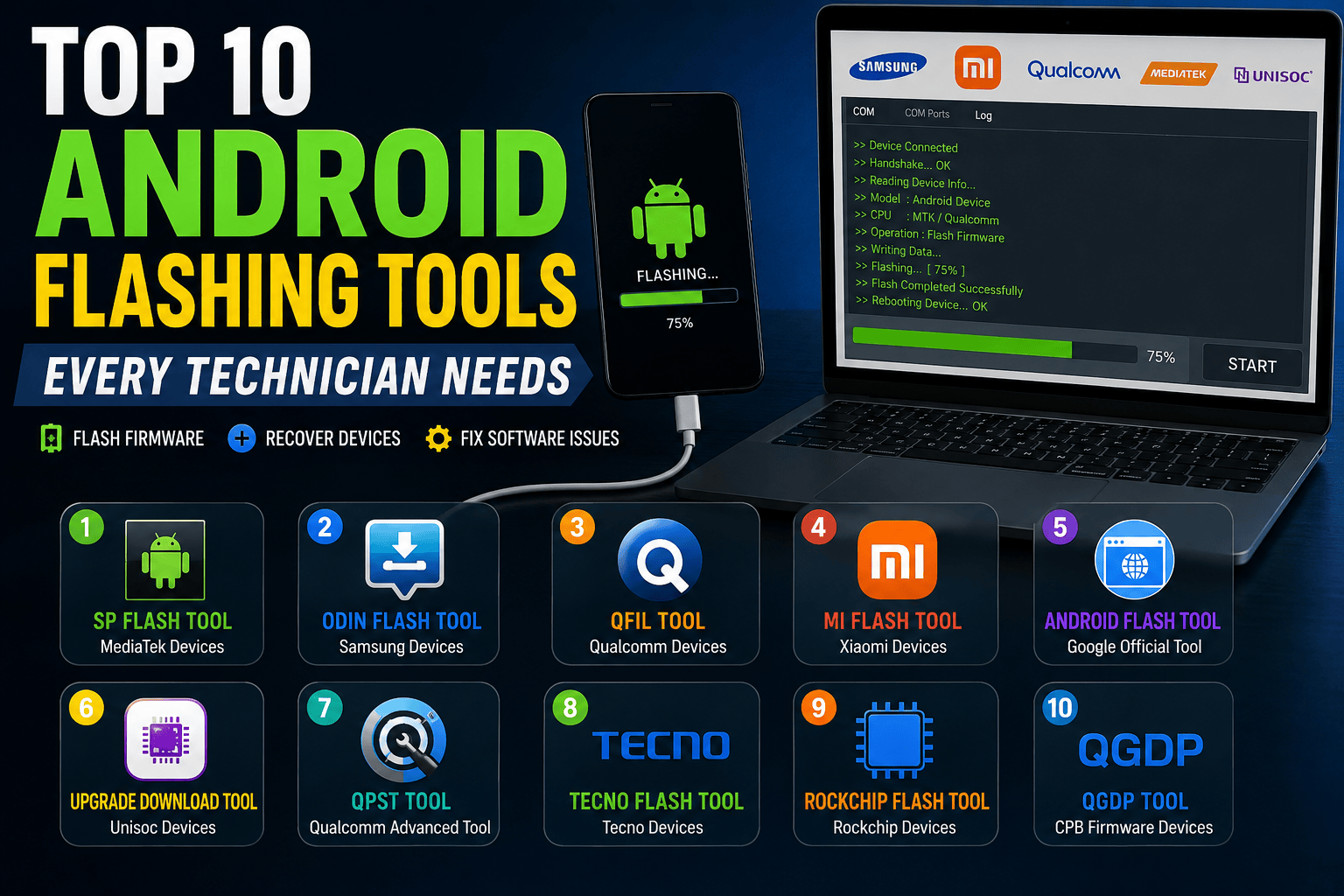
Before choosing a flashing tools, technicians should understand that different Android devices require different software. Samsung devices work best with Odin, MediaTek devices rely on SP Flash Tool, Qualcomm phones often require QFIL, while Xiaomi devices are best serviced using Mi Flash Tool. Recent industry guides continue to recommend chipset-specific tools for safer and more reliable firmware installation and device recovery.
What Is an Android Flashing Tool?
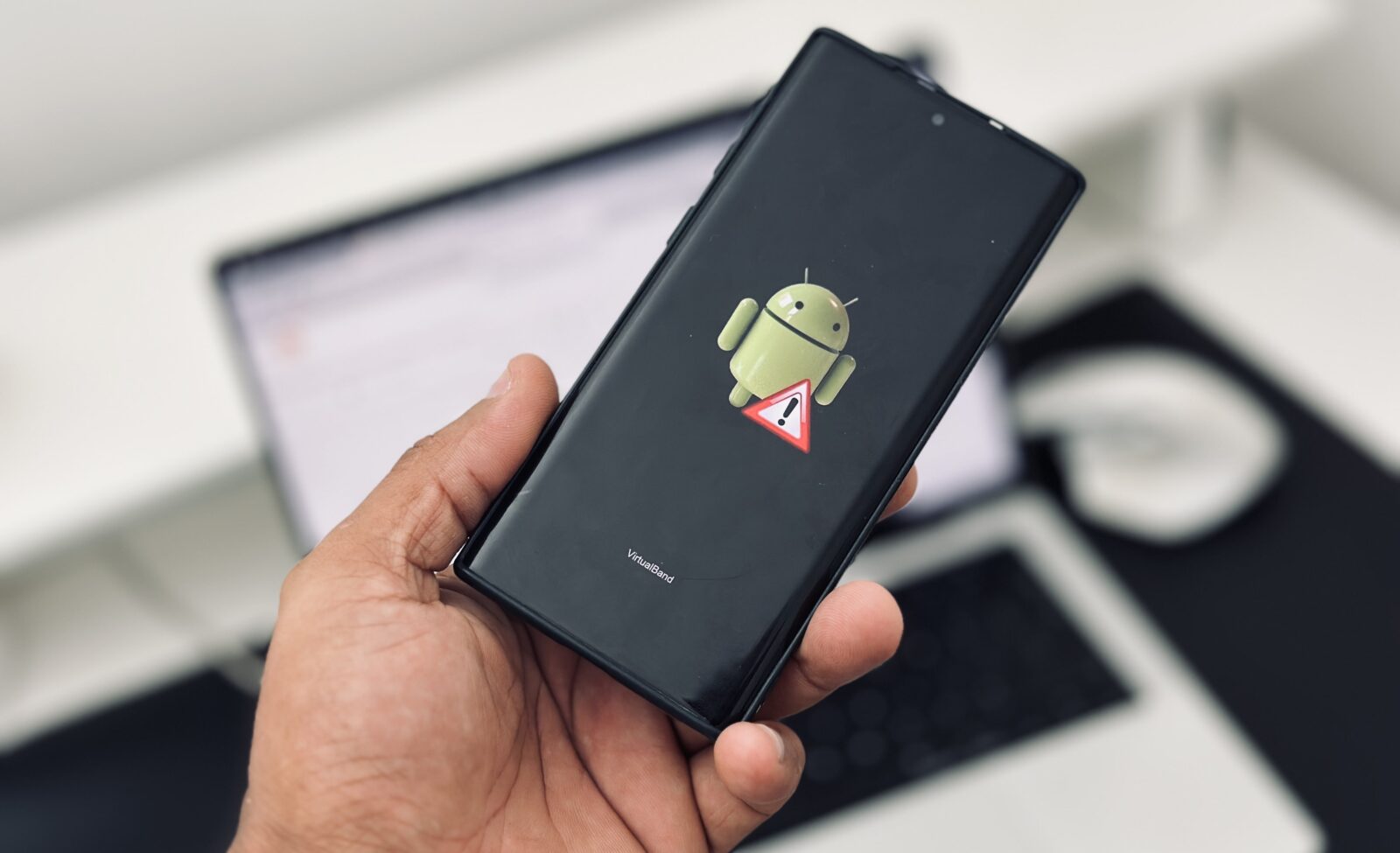
An Android flashing tool is specialized software used to install, repair, update, or restore firmware on Android smartphones and tablets. Think of it as a surgeon’s toolkit for mobile devices. When a phone becomes stuck on the boot logo, enters a boot loop, fails to update correctly, or becomes soft-bricked, a flashing tool can often bring it back to life.
Modern flashing tools allow technicians to write stock ROMs, install firmware updates, recover corrupted partitions, and repair software-related problems. Without these tools, many devices would require expensive motherboard replacements or complete device replacement.
The Android repair industry has evolved rapidly over the last few years. Manufacturers now use different chipsets such as MediaTek, Qualcomm, Exynos, and Unisoc. Because of this diversity, technicians need multiple flashing tools in their arsenal. One tool rarely supports every device on the market.
For repair professionals, understanding flashing software is no longer optional. It has become one of the most valuable skills in mobile repair and maintenance. A technician who masters flashing tools can solve a large percentage of software-related smartphone issues quickly and efficiently.
Why Mobile Technicians Need Flashing Software
Imagine receiving a phone that refuses to boot after a failed update. The customer is worried, important data is inaccessible, and the device appears dead. This is where flashing tools become essential.
Professional technicians use flashing software for several purposes:
- Firmware upgrades
- Boot loop repair
- Soft-brick recovery
- System restoration
- Operating system repair
- Performance optimization
- Device unrooting
- Stock ROM installation
Flashing tools save time and reduce repair costs. Instead of replacing hardware components unnecessarily, technicians can identify software corruption and restore the original firmware. This process often takes less than an hour.
The increasing complexity of Android devices means repair shops must stay updated with the latest flashing software. New security mechanisms, verified boot systems, and firmware protections require modern tools capable of handling newer devices safely.
How to Choose the Right Flash Tool

Device Compatibility
The first factor to consider is device compatibility. Not every flashing tool supports every brand. Samsung devices require Odin, Xiaomi devices work best with Mi Flash Tool, and MediaTek phones rely heavily on SP Flash Tool. Selecting the wrong tool can waste valuable time and potentially create additional problems.
Chipset Support
The chipset inside the smartphone determines which flashing software should be used. Qualcomm devices typically require QFIL or QPST, while MediaTek devices rely on SP Flash Tool. Industry experts recommend identifying the chipset before attempting any firmware installation.
1. SP Flash Tool
Key Features
SP Flash Tool remains one of the most powerful tools available for MediaTek devices. It is widely used by professional repair technicians worldwide and supports firmware flashing, partition management, and device recovery.
The software uses scatter files to identify partition structures and allows deep-level firmware installation. One of its biggest advantages is its ability to recover devices that appear completely dead. It also supports custom recovery installation and firmware upgrades.
SP Flash Tool continues to be recommended for MediaTek-based smartphones due to its broad compatibility and reliable recovery capabilities. It remains one of the most trusted tools in the repair industry.
2. Odin Flash Tool
Best for Samsung Devices
Odin is the gold standard for Samsung smartphone flashing. Developed specifically for Samsung devices, it allows technicians to install stock firmware, recover soft-bricked phones, and restore factory software.
The tool supports flashing firmware packages through Download Mode. Many Samsung repair professionals consider Odin an essential application because it handles firmware installation safely and efficiently.
Whether repairing a flagship Galaxy S series device or an entry-level Samsung smartphone, Odin remains the preferred solution for software repairs and firmware restoration.
3. QFIL Tool
Qualcomm Device Support
QFIL, short for Qualcomm Flash Image Loader, is designed specifically for Qualcomm-powered smartphones. It is a component of Qualcomm’s repair ecosystem and is commonly used for flashing firmware files in Qualcomm devices.
The tool supports emergency download mode (EDL), making it highly effective for recovering devices that fail to boot. Many technicians rely on QFIL because of its stability and compatibility with a wide range of Qualcomm chipsets.
For brands like Vivo, Oppo, Realme, and certain Motorola devices using Qualcomm processors, QFIL remains one of the most reliable options available.
4. Xiaomi Mi Flash Tool
Xiaomi Firmware Installation
Mi Flash Tool is Xiaomi’s official firmware flashing utility. It supports Xiaomi, Redmi, and POCO devices and allows technicians to install official firmware packages quickly.
One major advantage is firmware verification. The software checks firmware signatures before installation, reducing the risk of flashing incompatible files. This makes it safer than many third-party alternatives.
For technicians specializing in Xiaomi repairs, Mi Flash Tool is absolutely essential. It simplifies firmware installation while maintaining device security and software integrity.
5. Android Flash Tool
Google’s Official Web-Based Solution
Android Flash Tool is Google’s browser-based flashing platform designed for supported Android devices. Unlike traditional flashing software, it runs directly through a web browser and requires minimal installation.
The platform is particularly useful for Pixel devices and Android developers who need to test firmware versions quickly. It streamlines the flashing process and reduces the complexity associated with traditional firmware installation methods.
Because it is maintained directly by Google, technicians can trust its reliability and compatibility with supported devices.
6. Upgrade Download Tool
Upgrade Download Tool is a favorite among technicians working with Spreadtrum and Unisoc devices. Many budget smartphones rely on these chipsets, making this tool increasingly important.
The software supports stock ROM installation, firmware recovery, and software updates. It offers a straightforward interface and remains one of the most commonly used utilities for Spreadtrum-powered devices.
As more affordable Android smartphones enter the market, Upgrade Download Tool continues to grow in relevance for repair professionals.
7. QPST Tool
QPST, or Qualcomm Product Support Tool, provides advanced features beyond standard firmware flashing. It allows technicians to manage Qualcomm devices, backup partitions, and perform advanced diagnostics.
One of its greatest strengths is flexibility. Repair specialists often use QPST for firmware management, network repair, and software troubleshooting.
Its extensive capabilities make it a valuable addition to any professional repair toolkit.
8. Tecno Flash Tool
Tecno Flash Tool is designed specifically for Tecno smartphones. Given the growing popularity of Tecno devices in Africa and emerging markets, this tool has become increasingly important.
The software simplifies firmware installation and recovery procedures while supporting both MediaTek and Qualcomm-based Tecno devices. Repair centers that frequently handle Tecno phones benefit greatly from keeping this utility readily available.
Its focused device support helps ensure successful firmware installation and efficient software repairs.
9. Rockchip Flash Tool
Rockchip Flash Tool specializes in devices powered by Rockchip processors. These processors are commonly found in tablets, Android TV boxes, educational devices, and budget electronics.
Technicians who repair tablets regularly will find this software indispensable. It enables firmware flashing, recovery, and system restoration for various Rockchip-powered devices.
Although less common than Qualcomm or MediaTek tools, it fills an important niche within the Android repair industry.
10. QGDP Tool
QGDP Tool supports firmware installation for devices using CPB firmware packages. It is frequently used with specific Android brands and serves as an alternative solution for Qualcomm-based devices.
The tool offers reliable firmware flashing, software restoration, and recovery functions. Technicians who encounter CPB firmware packages regularly consider QGDP an essential part of their software toolkit.
Its specialized functionality makes it valuable despite serving a narrower range of devices.
Comparison Table of the Top 10 Flashing Tools
| Tool | Best For | Chipset Support | Cost |
|---|---|---|---|
| SP Flash Tool | MediaTek Devices | MTK | Free |
| Odin | Samsung Devices | Samsung | Free |
| QFIL | Qualcomm Devices | Qualcomm | Free |
| Mi Flash Tool | Xiaomi Devices | Qualcomm/Xiaomi | Free |
| Android Flash Tool | Pixel Devices | Google Devices | Free |
| Upgrade Download Tool | Unisoc Devices | Spreadtrum/Unisoc | Free |
| QPST | Advanced Qualcomm Repair | Qualcomm | Free |
| Tecno Flash Tool | Tecno Devices | MTK/Qualcomm | Free |
| Rockchip Tool | Tablets & TV Boxes | Rockchip | Free |
| QGDP Tool | CPB Firmware Devices | Qualcomm | Free |
Essential Safety Tips Before Flashing
Flashing firmware can be incredibly effective, but it also carries risks. A single mistake can leave a device unusable. That is why experienced technicians always follow strict procedures before starting.
Always verify the exact model number before downloading firmware. Using incorrect firmware is one of the most common causes of flashing failures. Ensure the battery is adequately charged and use a high-quality USB cable.
It is also wise to back up important partitions and user data whenever possible. Many experts recommend backing up IMEI-related partitions and calibration data before performing advanced repairs. These precautions can prevent major headaches later.
Conclusion
Android flashing tools remain the backbone of professional smartphone repair. Whether you’re working with Samsung devices, Xiaomi smartphones, Qualcomm-powered models, or MediaTek handsets, choosing the right tool dramatically increases repair success rates.
SP Flash Tool continues to dominate the MediaTek ecosystem, Odin remains the king of Samsung repairs, and QFIL provides dependable support for Qualcomm devices. Specialized solutions like Mi Flash Tool, Upgrade Download Tool, and Tecno Flash Tool further expand a technician’s repair capabilities.
For mobile repair professionals in 2026, mastering these ten flashing tools is one of the smartest investments you can make. The more tools you understand, the more devices you can repair, and the more successful your repair business becomes.
FAQs
1. Which Android flashing tool is best for beginners?
Odin and Mi Flash Tool are generally considered beginner-friendly because they provide straightforward interfaces and official firmware support.
2. Can flashing a phone fix a boot loop?
Yes. Installing the correct stock firmware often resolves boot loops, system crashes, and startup failures.
3. Is SP Flash Tool safe to use?
SP Flash Tool is safe when used with compatible firmware and proper procedures. Always verify firmware compatibility before flashing.
4. Do I need a computer to flash Android firmware?
Most professional flashing tools require a Windows computer, although Android Flash Tool can operate through a supported web browser.
5. Which flashing tool works for Xiaomi phones?
Mi Flash Tool is the recommended solution for Xiaomi, Redmi, and POCO smartphones because it supports official firmware installation and signature verification