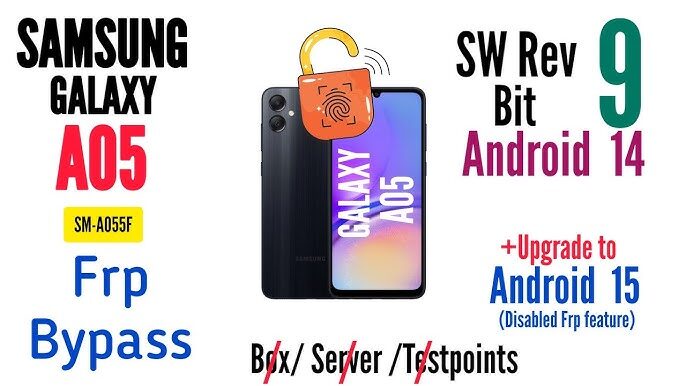
The Samsung Galaxy A05 A055F FRP File Reset Firmware helps users remove Factory Reset Protection quickly. This firmware solution is useful after a hard reset. Moreover, it restores access to the device without Google account verification problems.
Many mobile technicians use FRP reset firmware for Samsung devices daily. Therefore, understanding the process improves repair efficiency. In addition, using the correct firmware reduces flashing errors and boot issues.
What Is FRP Lock on Samsung Galaxy A05?
Factory Reset Protection protects Android smartphones from unauthorized access. However, users often forget their Google account credentials. As a result, the phone becomes locked after formatting.
Samsung introduced FRP security for better device protection. Nevertheless, technicians require safe unlocking methods during repair operations. The Samsung Galaxy A05 A055F FRP file provides a fast unlocking solution.
Key Features of Samsung Galaxy A05 A055F FRP Firmware
Fast FRP Unlock Process
The firmware removes Google account verification within minutes. Consequently, technicians save valuable repair time.
Safe Flashing Solution
This firmware supports safe installation procedures. Therefore, users avoid unnecessary software damage.
Improved Device Performance
After flashing, the smartphone performs smoothly. In addition, system bugs and lag issues disappear.
Compatibility With Latest Android Versions
The Samsung Galaxy A05 A055F FRP reset firmware supports newer Android security patches. Thus, users can unlock updated devices easily.
Benefits of Using Samsung Galaxy A05 FRP File
- Removes Google FRP lock safely
- Supports firmware repair operations
- Improves software stability
- Restores factory performance
- Fixes software boot loops
- Helps technicians complete jobs faster
Furthermore, the firmware works well for professional mobile repair businesses.
Requirements Before Flashing Samsung Galaxy A05 Firmware
Before starting the FRP unlock process, prepare the following tools:
Essential Tools Needed
- Samsung USB Driver
- Odin Flash Tool
- Original USB Cable
- Samsung Galaxy A05 A055F Firmware
- Windows Computer or Laptop
How to Flash Samsung Galaxy A05 A055F FRP Reset Firmware
Step 1: Download Required Files
First, download the Samsung Galaxy A05 A055F FRP firmware package. Then, extract all files on your computer.
Step 2: Install Samsung USB Drivers
Next, install Samsung USB drivers correctly. Otherwise, the computer may not detect the device.
Step 3: Boot Device Into Download Mode
Turn off the phone completely. After that, press the required button combination to enter Download Mode.
Step 4: Open Odin Flash Tool
Launch Odin on your computer. Then, connect the Samsung Galaxy A05 using a USB cable.
Step 5: Load Firmware Files
Insert the firmware files into Odin slots properly. Moreover, verify all selected files carefully.
Step 6: Start Flashing Process
Click the Start button to begin flashing. Meanwhile, avoid disconnecting the cable during installation.
Step 7: Wait for Device Reboot
Once flashing completes, the device restarts automatically. Finally, set up the smartphone normally without FRP lock issues.
Common Problems During FRP Unlock
Device Not Detected
Sometimes Odin fails to recognize the smartphone. Therefore, reinstall Samsung USB drivers and try another USB port.
Boot Loop After Flashing
Incorrect firmware may cause boot loops. Consequently, always use the correct Samsung Galaxy A05 A055F firmware version.
Odin Flash Failed Error
A damaged firmware file can trigger flashing errors. Thus, download clean firmware from trusted sources.
Why Mobile Technicians Use FRP Reset Firmware
Professional technicians prefer FRP reset firmware because it saves time. Moreover, it improves customer satisfaction significantly.
Many repair shops handle Samsung FRP issues every day. Therefore, reliable firmware solutions remain essential for business growth.
Tips for Safe Samsung Firmware Flashing
- Always backup important data first
- Use original Samsung firmware only
- Avoid disconnecting the device during flashing
- Verify model number before installation
- Install updated Samsung USB drivers
Additionally, maintaining stable internet and power improves flashing success rates.
Samsung Galaxy A05 A055F Firmware Specifications
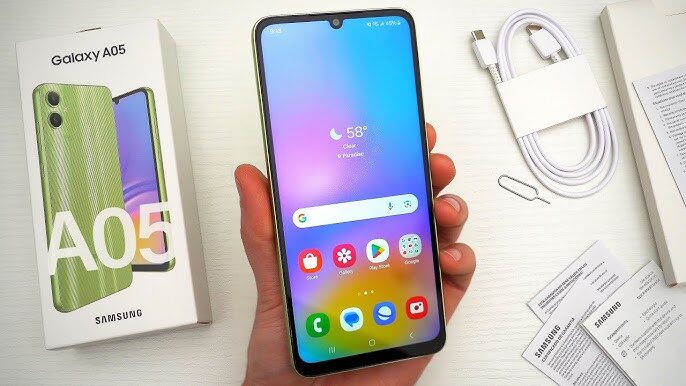
The Samsung Galaxy A05 features reliable hardware and Android performance. Furthermore, it supports smooth multitasking and stable software operation.
Technicians often repair software issues on this device. Therefore, having the correct FRP reset firmware becomes extremely important.
Final Words
The Samsung Galaxy A05 A055F FRP File Reset Firmware offers a powerful unlocking solution for technicians and users. Moreover, it simplifies Google lock removal safely and efficiently.
By following the correct flashing process, users can restore full device access quickly. In addition, proper firmware installation improves software performance and stability.